Cycle processor · VST3 effect for Windows

The metallic, grainy sound of 90s jungle samplers, as an effect you can steer.

Put a break, a loop or a vocal through DreamLine. It pitches and stretches the sound the way early hardware samplers did, then gives you a sequencer, filter, dub echo and sidechain to play it with.

Coming soon €22 Free trial coming soon
  • Every feature in the trial
  • Up to 3 computers
  • Works offline
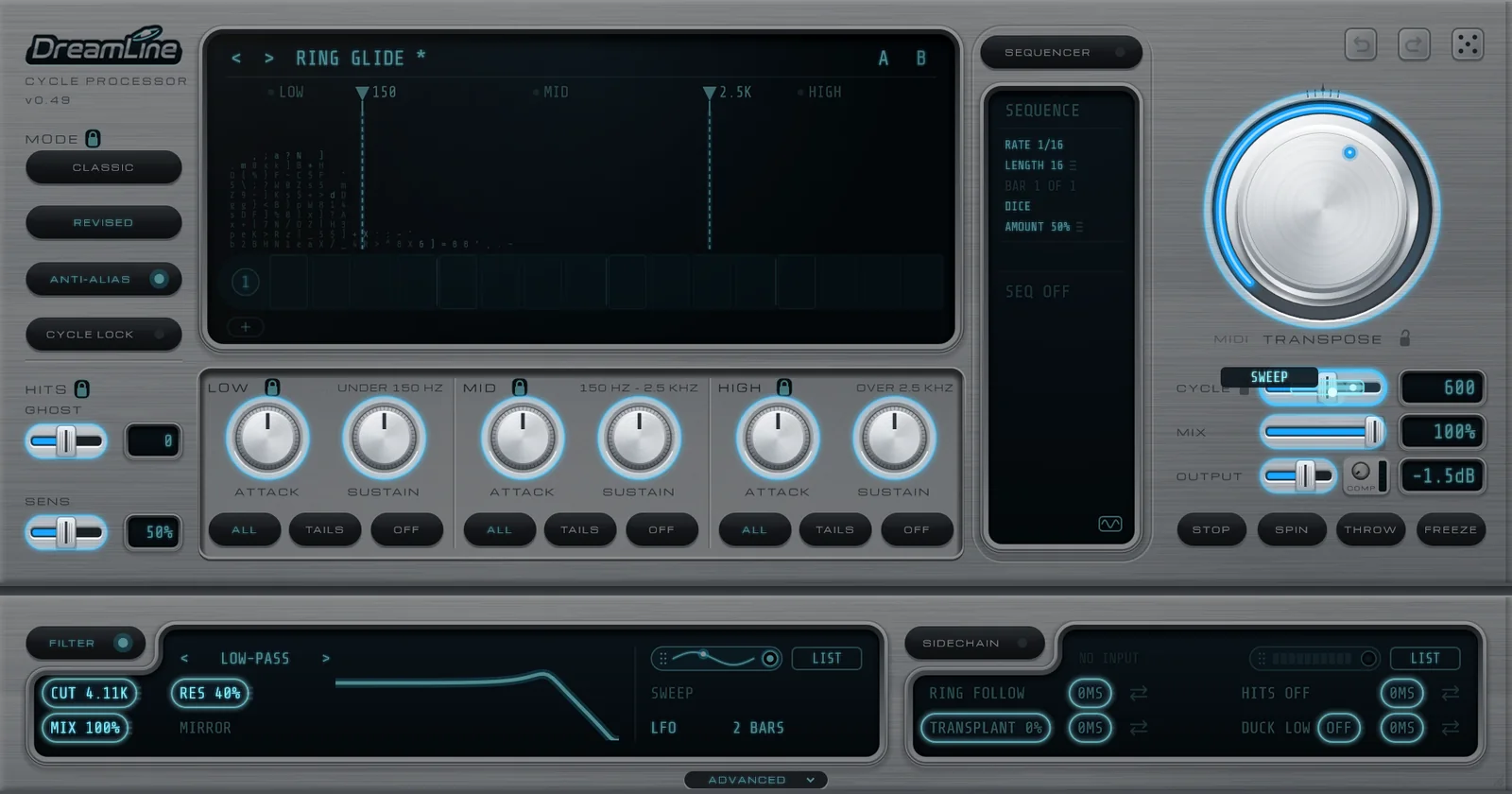
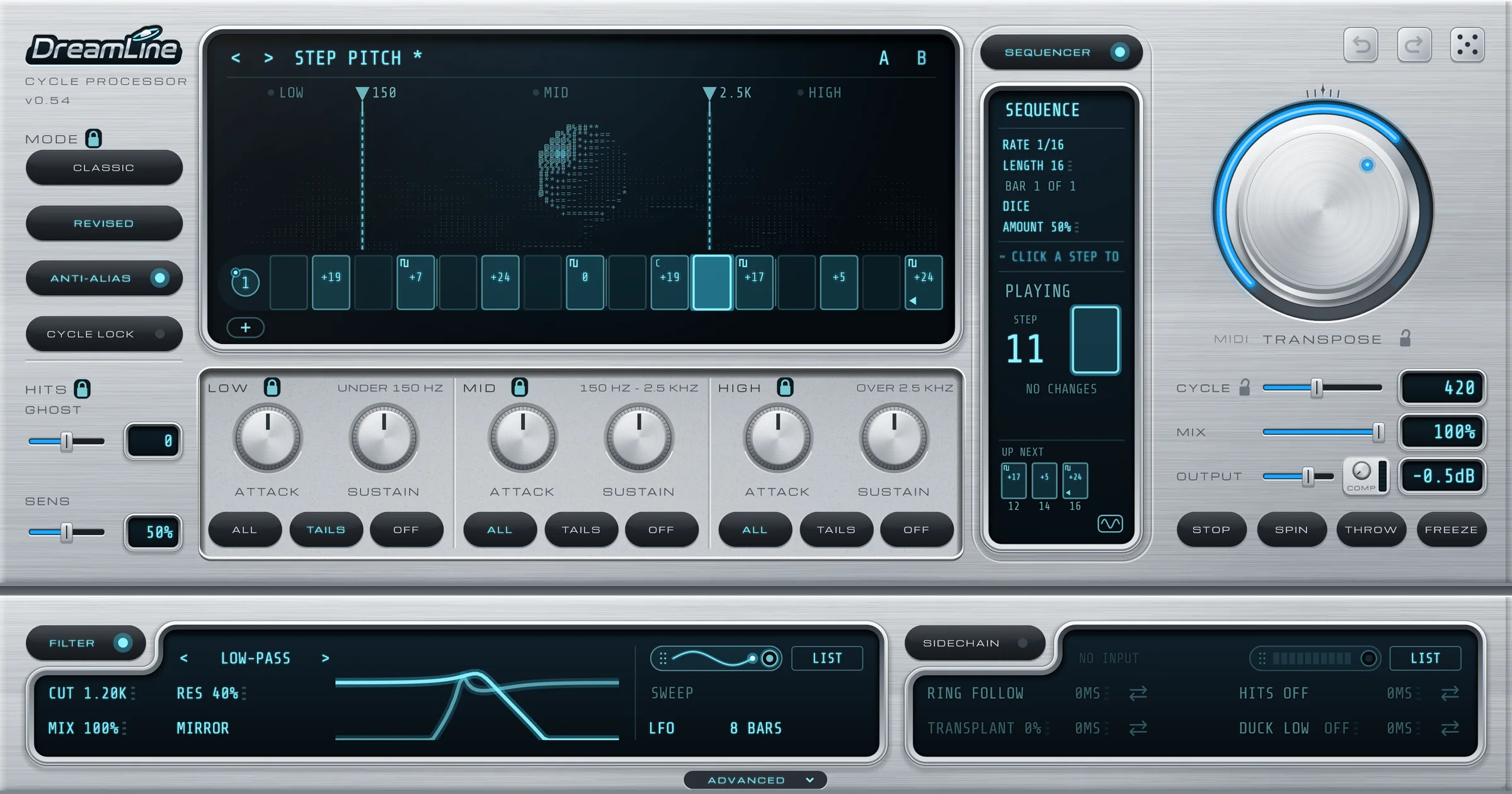
The DreamLine plug-in: brushed silver panel with a glowing blue display, step sequencer, TRANSPOSE knob, and filter and sidechain strips
What it does

Tiny slices, played over and over.

Early hardware samplers changed pitch by replaying very short slices of sound, called cycles. That trick left a bright metallic ring and a grainy edge. It was the sound of jungle and hardcore breaks.

DreamLine rebuilds that sound as an effect. Two controls matter most, and everything else is there to shape and move them.

Transpose

Moves the pitch, up to three octaves either way. A MIDI keyboard can play it.

Cycle

Sets the slice length. Shorter is more metallic and buzzy. Longer is a gentler pitch move.

Inside the plug-in
  • Cycle processor
  • Hit shaper
  • Step sequencer
  • Filter
  • Dub echo
  • Sidechain
  • Comp
  • 12-bit
  • Half-time stretch
  • 32 presets

Hover any control and a one-line hint tells you what it does. A and B compare your sound with the plug-in off.


The tour

Built like hardware. Played like an instrument.

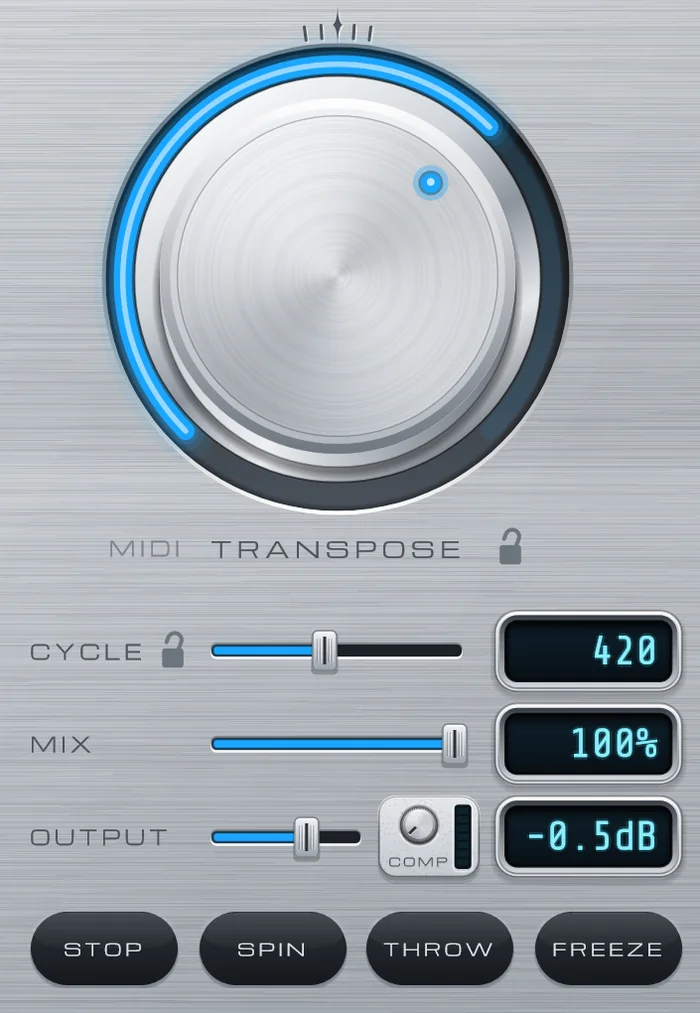
The TRANSPOSE knob with CYCLE, MIX and OUTPUT sliders, the COMP knob and the STOP, SPIN, THROW and FREEZE buttons
01 · The cycle engine

Pitch with that ring in it.

Turn the big TRANSPOSE knob and the sound moves, with the metallic ring moving alongside it. Or lock the ring in place and move only the sound.

  • CLASSIC or REVISED: the original vintage crossfade, or a smoother, fuller one.
  • ANTI-ALIAS smooths pitching up. Switch it off for a rawer, grittier edge.
  • CYCLE LOCK keeps the ring's pitch fixed while you transpose.
  • COMP blends in a punchy 1176-style compressor. Denser, not louder.
  • STOP SPIN THROW FREEZE: hold-down tape brake, spin-back, echo throw and beat freeze.
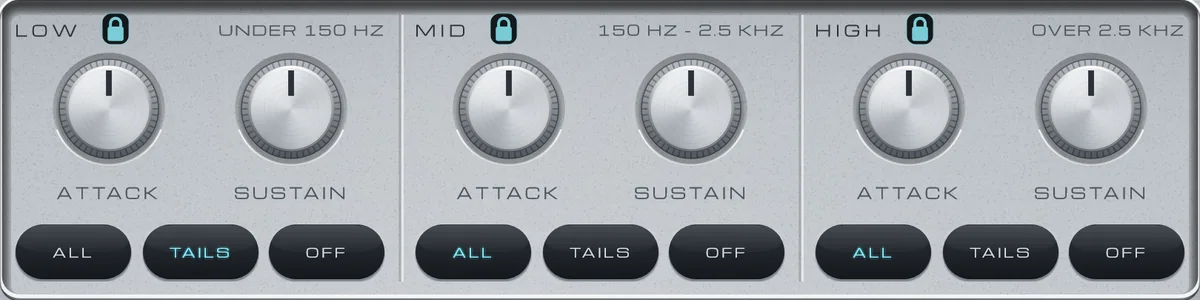
Three bands, LOW, MID and HIGH, each with ATTACK and SUSTAIN knobs and ALL, TAILS and OFF buttons

Low, mid and high, each with its own attack and sustain

02 · Hit shaper

Shape the hits in three bands.

DreamLine hears the drum hits and lets you push or soften them in LOW, MID and HIGH. Drag the split lines on the screen to choose where the bands meet.

  • ATTACK makes each hit louder or softer. SUSTAIN makes the ring after it longer or shorter.
  • TAILS keeps the hits dry and cycles only their ring. OFF keeps a kick solid.
  • SENS and GHOST pick out the quiet hits and turn them up or down.
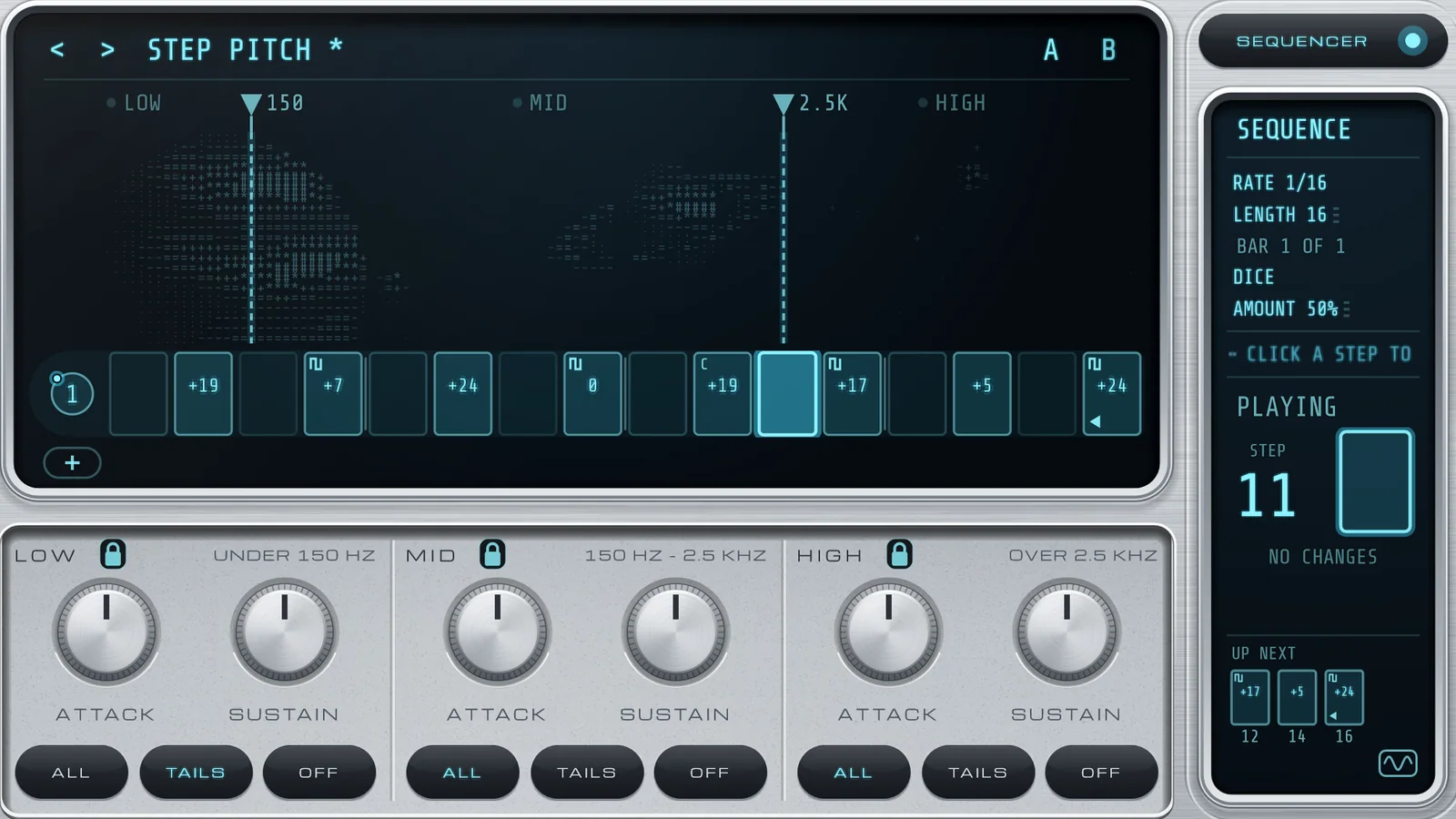
The display with sixteen step pads, several lit with pitch values, and the SEQUENCE panel showing the step now playing
03 · Step sequencer

Every step is its own small preset.

Switch on the SEQUENCER, click a step and turn the normal controls. That step now has its own pitch, cycle, mode, 12-bit, stretch and comp. It follows the song in Live.

  • REV, ROLL, SLICE, ACCENT, TAPE and THROW per step.
  • 1 to 64 steps, from 1 bar down to 1/32 notes.
  • The dice writes a new groove with fills and rolls in musical places. Padlocks keep what you like.
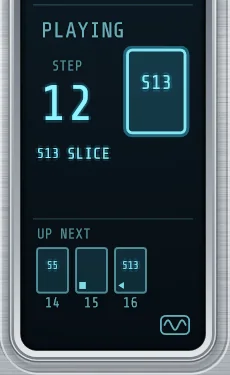
  • Marks on each pad show what a step does at a glance, and PLAYING spells it out.
The PLAYING page

Playing

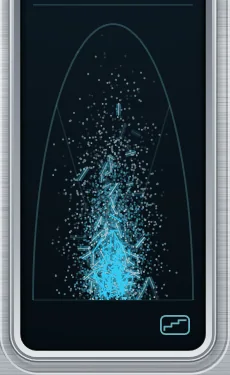
The SCOPE, a radar of dots

Scope

The FILTER strip with a low-pass curve, its mirror curve and an LFO sweep
Dragging the SWEEP source onto the CYCLE slider, with every control it can steer lit up

Drag SWEEP onto a control to steer it

04 · Filter and modulation

A filter that sweeps itself.

LOW-PASS, HIGH-PASS, BAND-PASS, NOTCH or COMB, where COMB rings in tune with the cycle. Drag on the curve itself to set cutoff and resonance.

  • MIRROR layers the opposite filter, sweeping the other way.
  • SWEEP moves the cutoff as an LFO, envelope or rise, from 1/16 note up to 8 bars.
  • Drag the SWEEP tab onto almost any control to steer it. Up to 31 links, saved with your project.
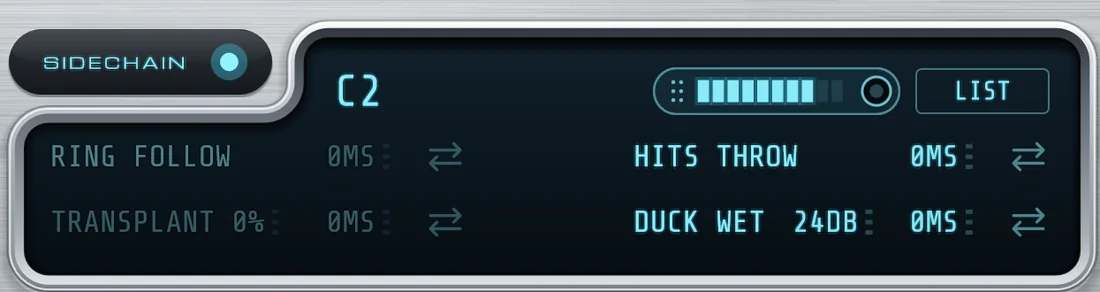
The SIDECHAIN strip with a C2 bass note arriving, HITS set to THROW and DUCK set to 24 dB

A bass note (C2) arriving on the sidechain

05 · Sidechain

Let another track steer it.

Pick any track in Live's sidechain menu and DreamLine listens to it.

  • RING FOLLOW: the metallic ring sings the sidechain's notes, in key.
  • TRANSPLANT: your break punches on the other drum's timing.
  • HITS: each sidechain hit can step the sequencer, roll, stop or throw to the echo.
  • DUCK: drop the low, mid, high or the whole effect by up to 24 dB.
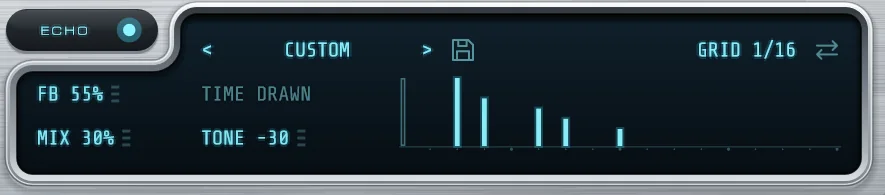
Echo bars drawn by hand on the echo display

Each bar is one echo. Higher is louder.

06 · Echo, 12-bit and time

Dub echo you can draw.

Open ADVANCED and a drawer slides out with three more tools.

  • ECHO: dub-style, with feedback, time, mix and tone. Draw your own echo pattern on a 1/16 or 1/32 grid, or pick from 13 presets like DUB 3/16, GALLOP and SWELL.
  • 12-BIT: 40K late-80s grit, darker 31K, or dull and crunchy 20K. Apply it to everything, the hits or the tails.
  • STRETCH: instant half-time with a metallic smear.
The open ADVANCED drawer: TIME, 12-BIT and ECHO side by side

Hear it

Sound demos

Dry first, then through DreamLine. Each starts from a factory preset.

Classic jungle break SOON

Preset JUNGLE UP · 170 BPM

Metallic vocal SOON

Preset ROBOT BREAK · Comb filter

Sequenced chop SOON

Preset CHOP SHOP · Sequencer on

Dub throw SOON

Preset DUB THROWS · Echo DARK HALF
32 factory presets
Pitch and ring
  • INIT
  • JUNGLE UP
  • GARAGE METAL
  • HARDCORE CHIPMUNK
  • OCTAVE DOWN
  • ROBOT BREAK
  • SOFT SHIFT
Drums
  • METAL TAILS
  • GHOST GROOVE
  • SNAPPY SNARES
  • KICK STAYS
Sequenced
  • CHOP SHOP
  • ROLL RISE
  • STEP PITCH
  • DUB THROWS
  • 45 RPM BRAKE
  • FOUR BAR STORY
  • SLOW MO FILL
  • TURNTABLE FLIPS
Textures
  • HALF-TIME
  • FILTER RISE
  • RING GLIDE
  • COMB CHOIR
  • AIR LIFT
  • RADIO
Sidechain
  • SC BASS RING
  • SC GAPS
  • SC KICK BEND
  • SC MAKE ROOM
  • SC BORROWED GROOVE
  • SC HIT STEPS
  • SC HIT STUTTER

Licence

Try all of it. Then keep it.

One licence, sold and delivered through Moonbase. No subscription.

7DAYS

Full trial

Every feature on, nothing held back. Start it by signing in from inside the plug-in.

3

Computers

Use one licence on up to three machines. Deactivate one to move it.

OFFLINE

Works offline

No connection needed to make music. It checks in now and then, and keeps working for 7 days between check-ins.

⇄

Offline activation

For studio PCs that never go online: save a request file, upload it from any connected machine, load the answer.

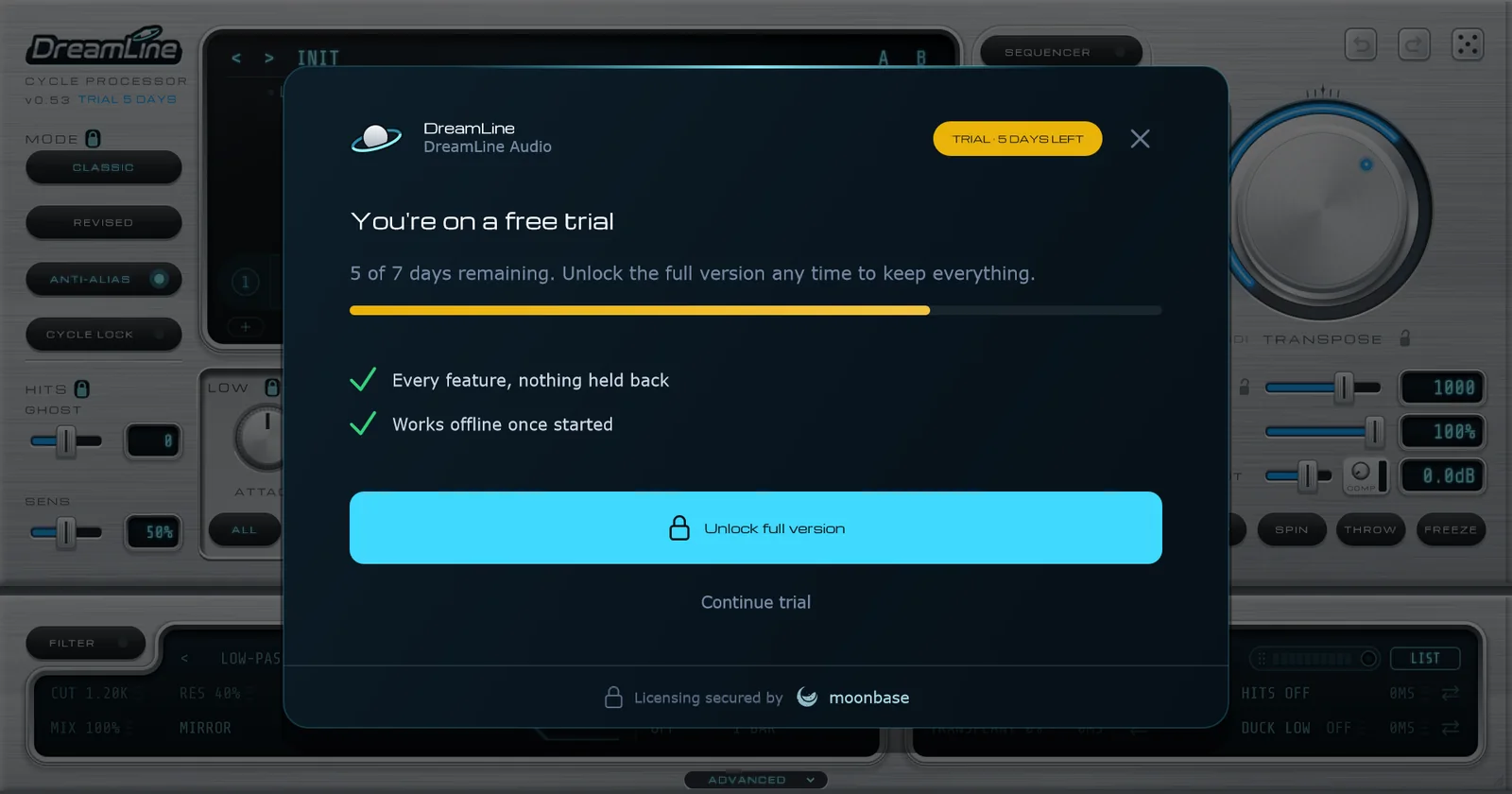
DreamLine's licence screen showing a free trial with 5 of 7 days remaining

When the trial ends, nothing breaks.

Your audio passes through unchanged, so old sets still open and play. Your settings and steps are kept, and buying unlocks everything exactly as you left it.

System requirements

What you need

DreamLine is an audio effect. Put it on a track with sound going in.

SystemWindows 10 or Windows 11, 64-bit
No Mac version yet.
FormatVST3 effect
HostsAbleton Live and other VST3 hosts
InputsAudio in, optional sidechain, MIDI notes to play the pitch
LicenceUp to 3 computers, online or offline activation
DreamLine · full licence
€22

One payment, about £19. Charged in euros by Moonbase, who handle VAT. On sale soon.

Coming soon €22 Free trial coming soon
FAQ

Questions

How does the free trial work?
Download and install DreamLine, add it to a track, and click Activate or start trial. Sign in to your DreamLine Audio account in the browser and the plug-in unlocks for 7 days with every feature on. A small pill on the display shows the days left.
What happens when the trial ends?
DreamLine fades to your dry sound, so your sets still open and play. Nothing you set is lost. Buy a licence and everything comes back exactly as it was.
Does it work on Mac?
Not yet. DreamLine is Windows only for now, as a 64-bit VST3.
Will it work in my DAW?
DreamLine is a standard VST3 effect, built and tested in Ableton Live. It should load in other Windows hosts that support VST3. Use the free trial to check it in yours before you buy.
How many computers can I use it on?
Up to three per licence. To move it to a new machine, open LICENCE in the plug-in's menu and click Deactivate this device on the old one.
Do I need to be online?
Only to activate. After that DreamLine checks in now and then when it can, and keeps working for 7 days between check-ins. Studio machines that never go online can use offline activation instead: save a request file, upload it from any connected computer, then load the answer file.
Can I play the pitch from a keyboard?
Yes. DreamLine accepts MIDI notes and TRANSPOSE follows them, with C3 as zero. In Live, set a MIDI track's MIDI To to the audio track and choose DreamLine.
What is a cycle processor?
Early hardware samplers changed pitch by replaying very short slices of sound, called cycles. That left a metallic ring and a grainy edge. DreamLine rebuilds that sound as an effect. TRANSPOSE moves the pitch and CYCLE sets the slice length.